

How to Provide Liquidity
Before You Start
Make sure you have a Sui wallet installed and sufficient balance of each token plus enough SUI to cover transaction fees.
1
Connect Your Wallet
Go to https://app.fullsail.finance/ and connect a supported Sui wallet.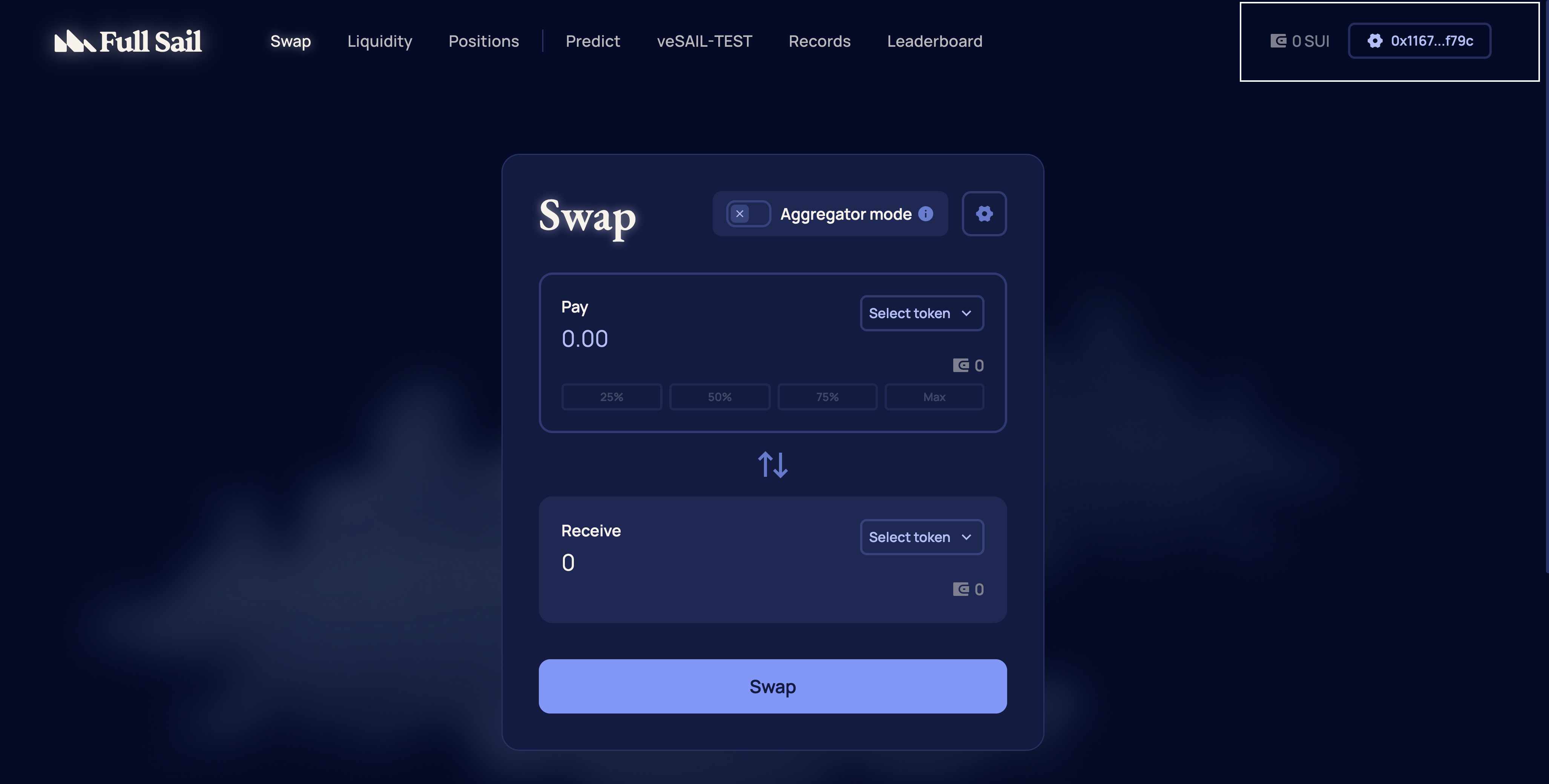
2
Navigate to Liquidity
From the navigation menu, select Liquidity or go directly to https://app.fullsail.finance/liquidity.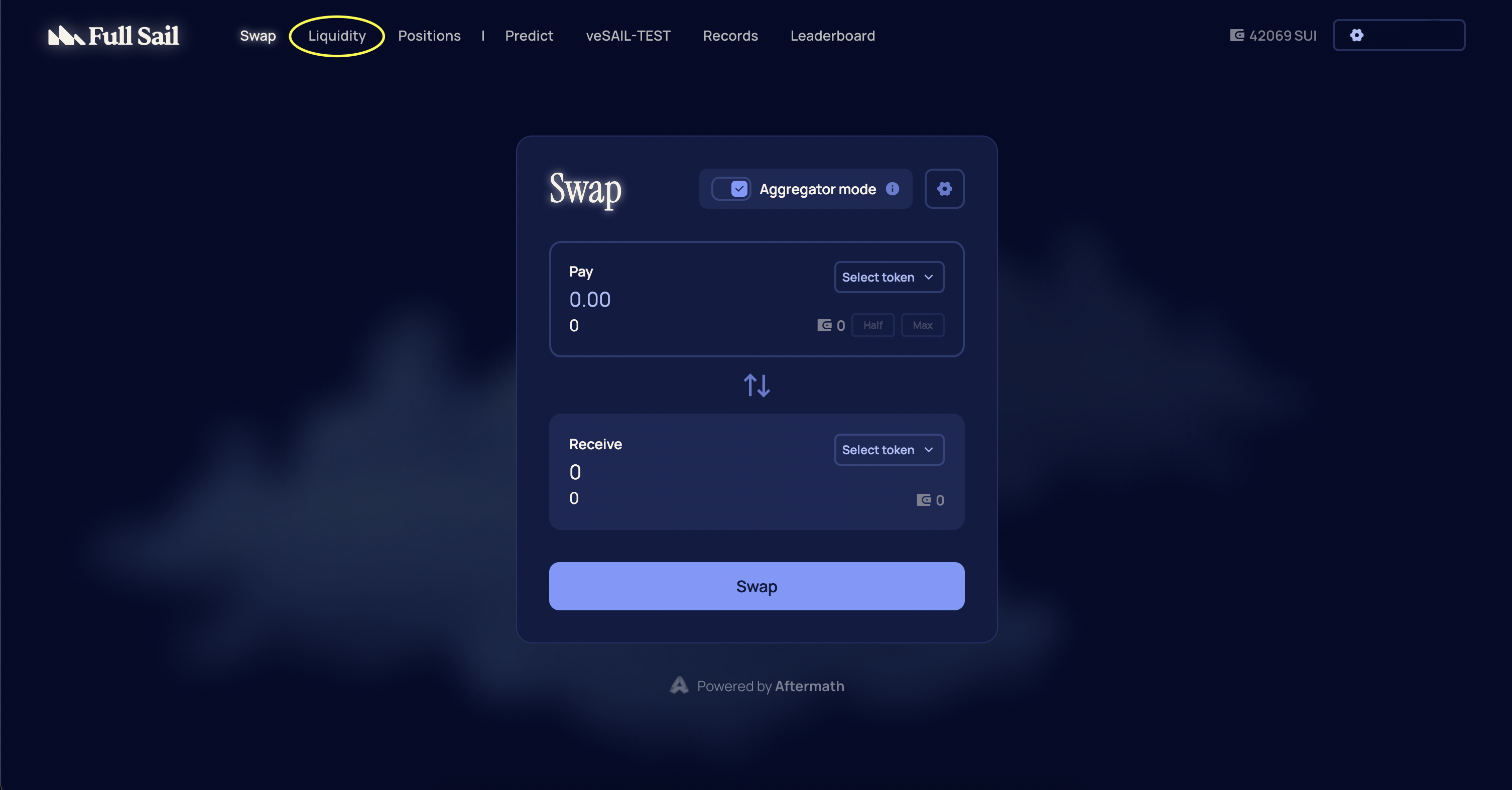
3
Select Token Pair
Select the token pair you want to supply and choose Deposit.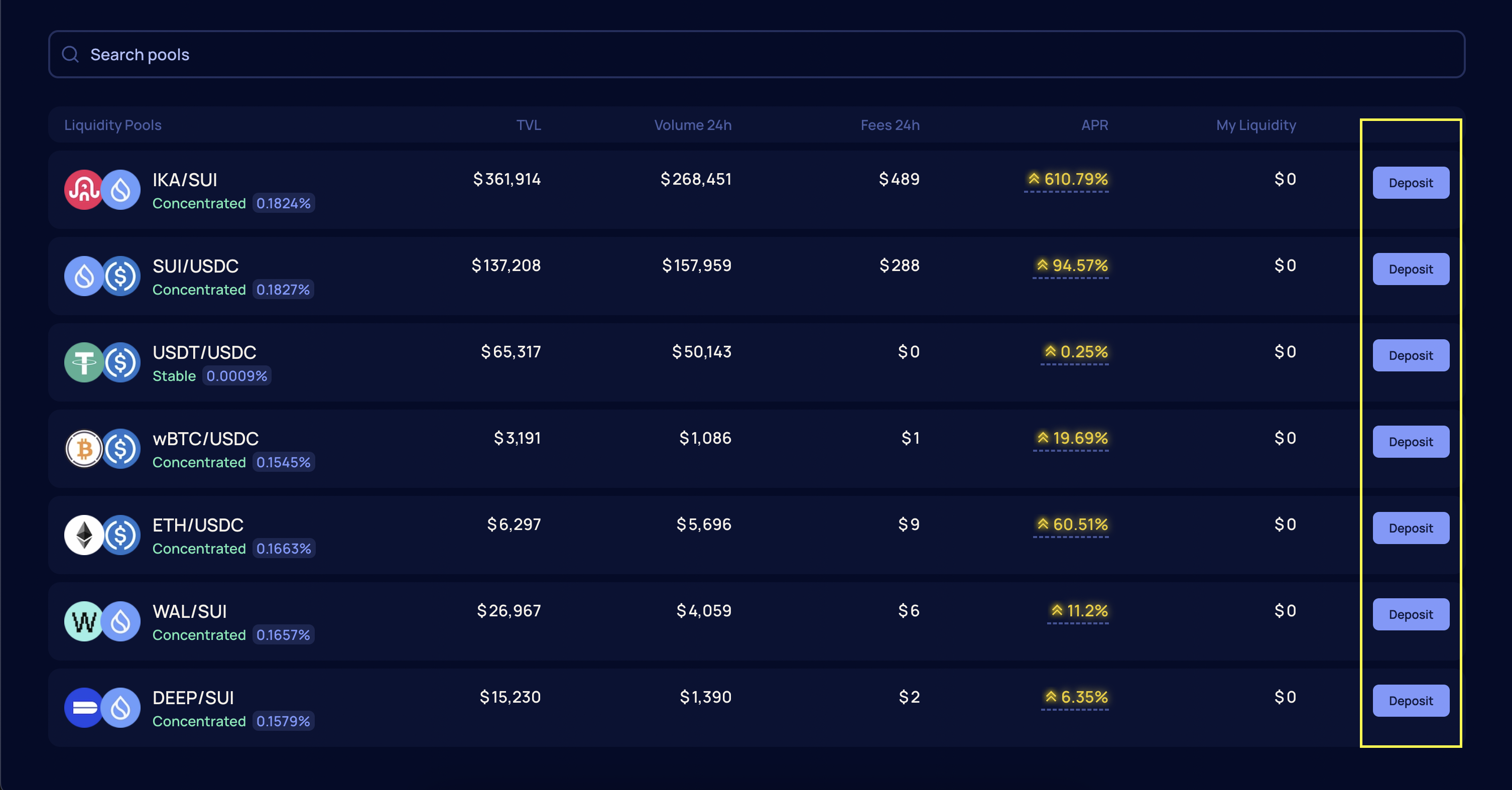
4
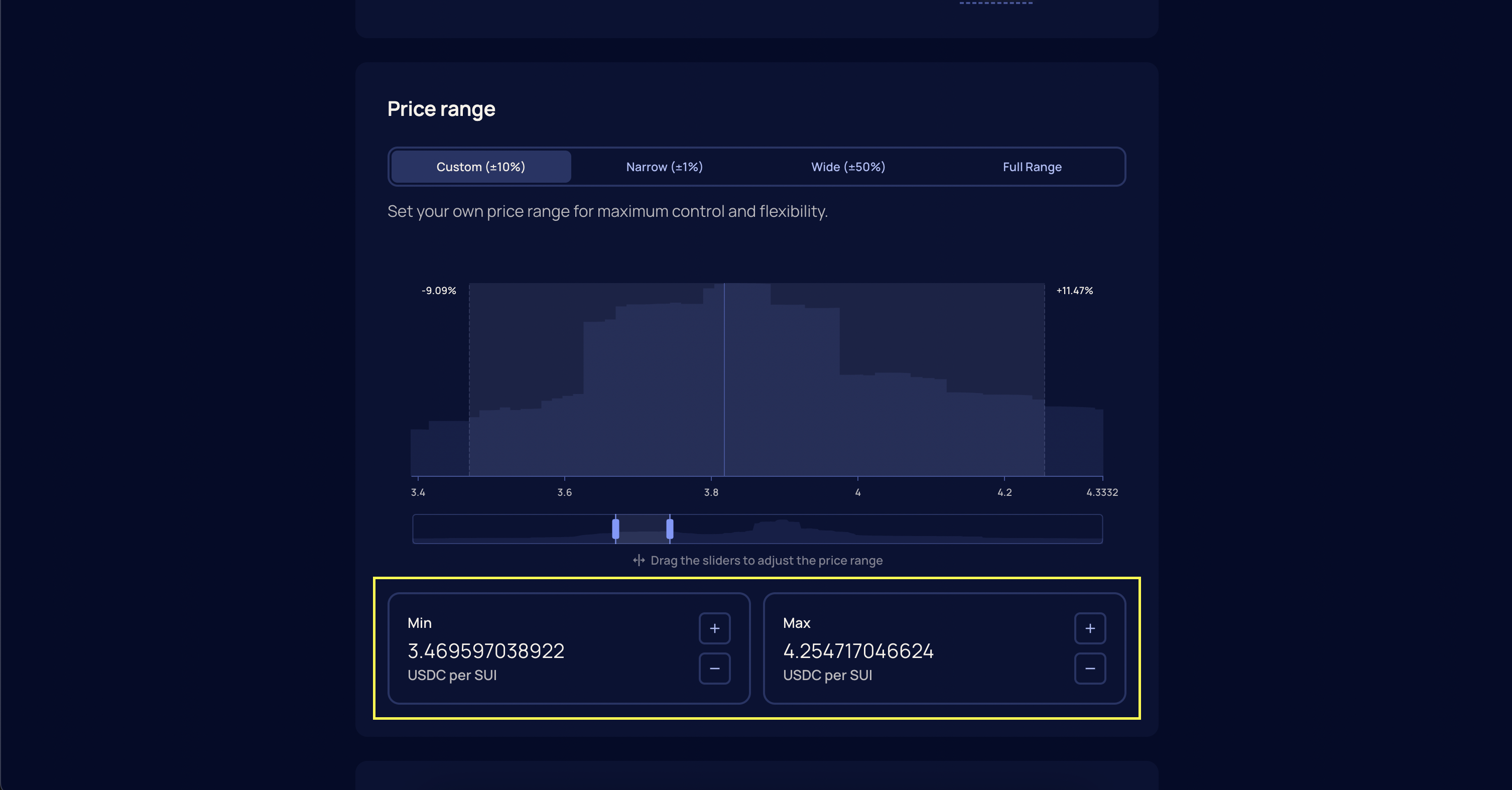
Choose Price Range
Choose a price range for your position. Full Sail offers multiple range presets:
- Full Range covers all possible prices, similar to traditional AMMs.
- Wide and Narrow options concentrate liquidity around broader or tighter intervals near the current price.
-
Custom allows you to define an exact price floor and ceiling for your position.
5
Enter Token Amounts
Enter the amount of each token you want to provide and select Add Liquidity.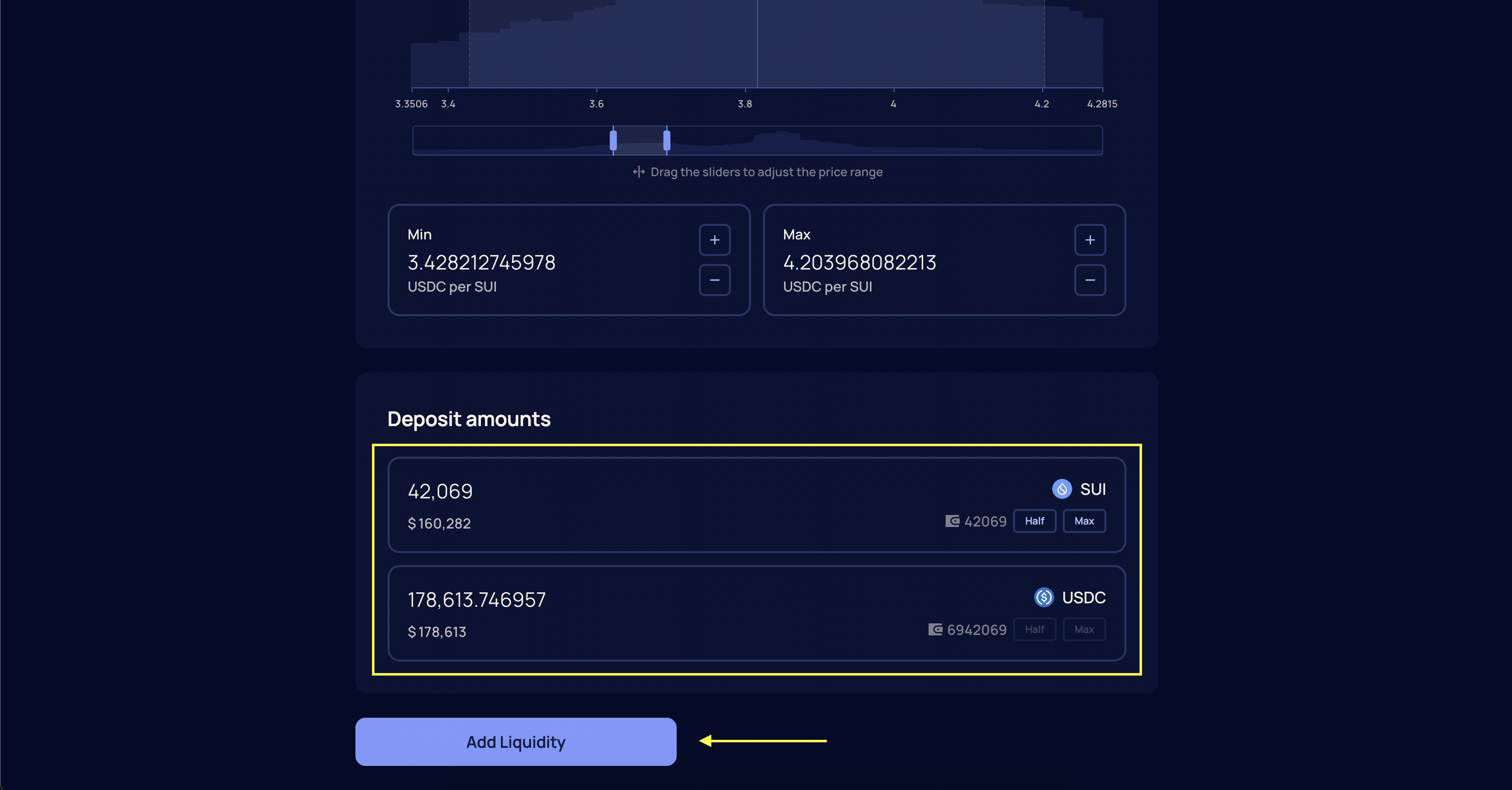
6
Confirm Transaction
Confirm the transaction in your wallet. Once confirmed and finalized, your position will be active and visible in the Dashboard.
Important
Your position will only earn fees when the current price is within your specified range.
Your position will only earn fees when the current price is within your specified range.
Managing Liquidity
Liquidity positions can be managed from the Dashboard at https://app.fullsail.finance/dashboard. You can add more liquidity to an existing position or withdraw all or part of it at any time. Adding liquidity increases your position size while keeping the same price range. Withdrawing returns the underlying tokens to your wallet.How to Remove Liquidity
1
Navigate to Positions
From the navigation menu, select Positions or go directly to https://app.fullsail.finance/dashboard.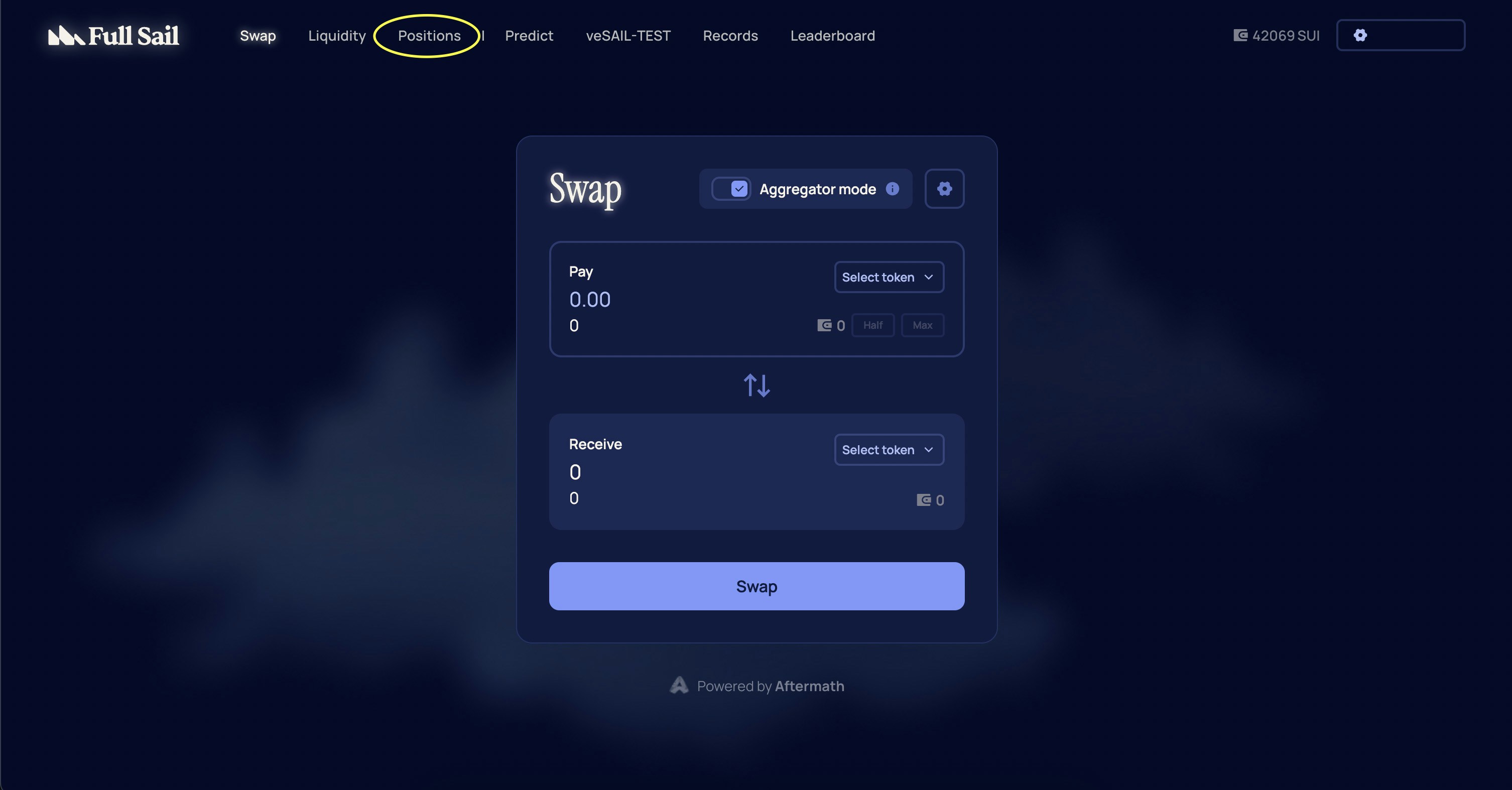
2
Select Your Position
Select the liquidity position you want to modify.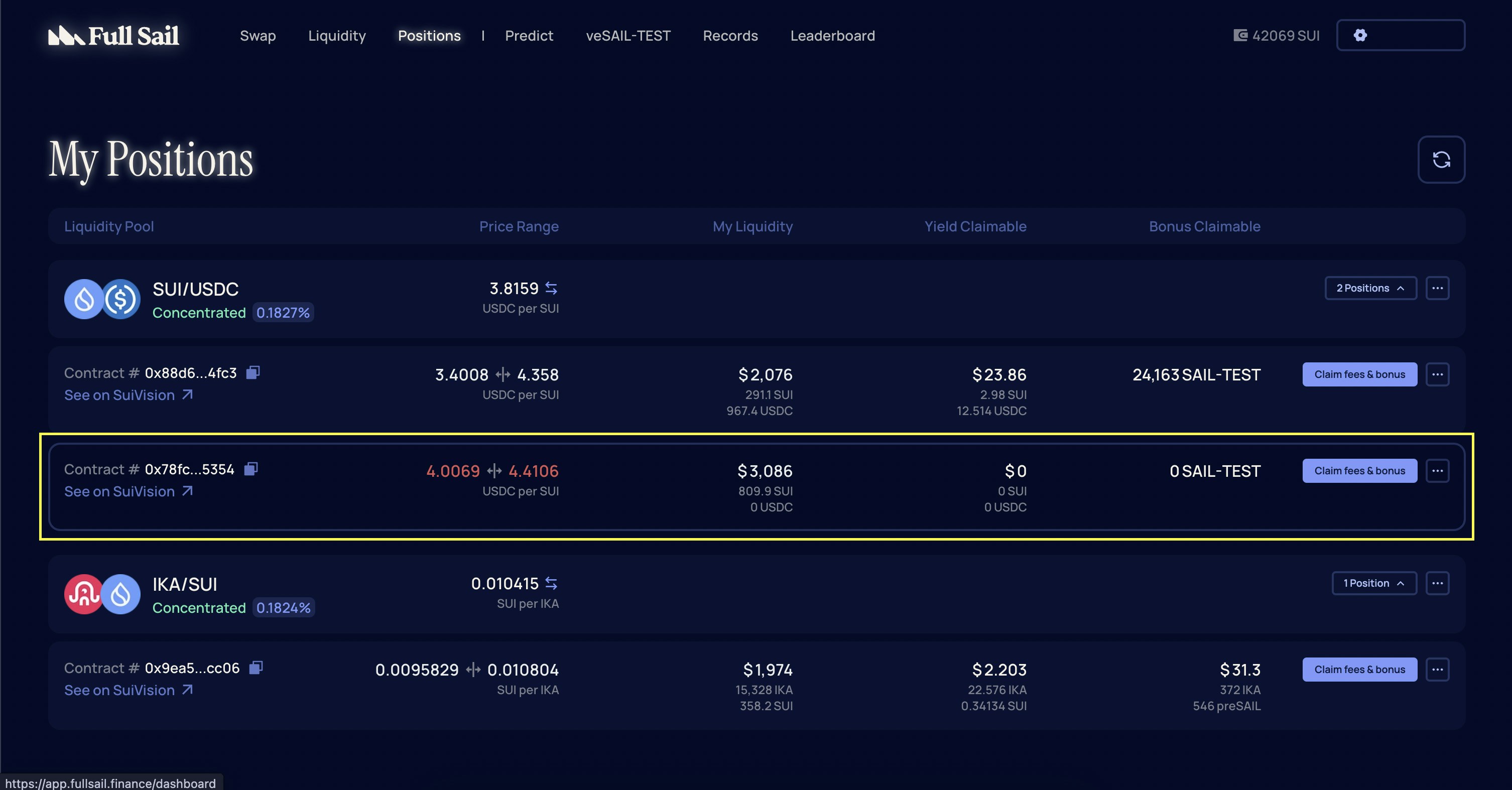
3
Choose Decrease Action
On the Manage Liquidity page, choose Decrease under the Action section.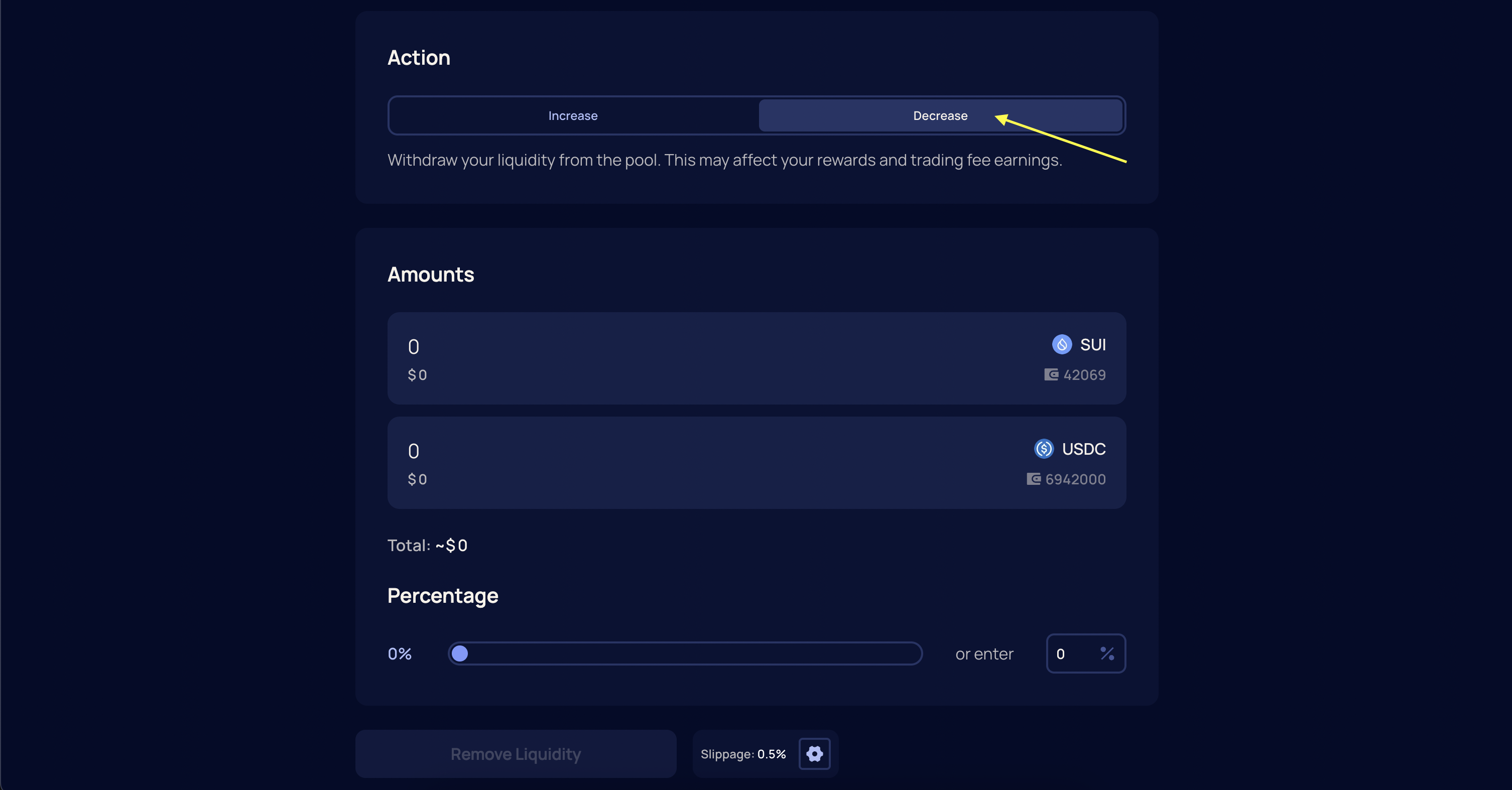
4
Specify Amount
Specify the amount of liquidity to remove. This can be a partial or full withdrawal.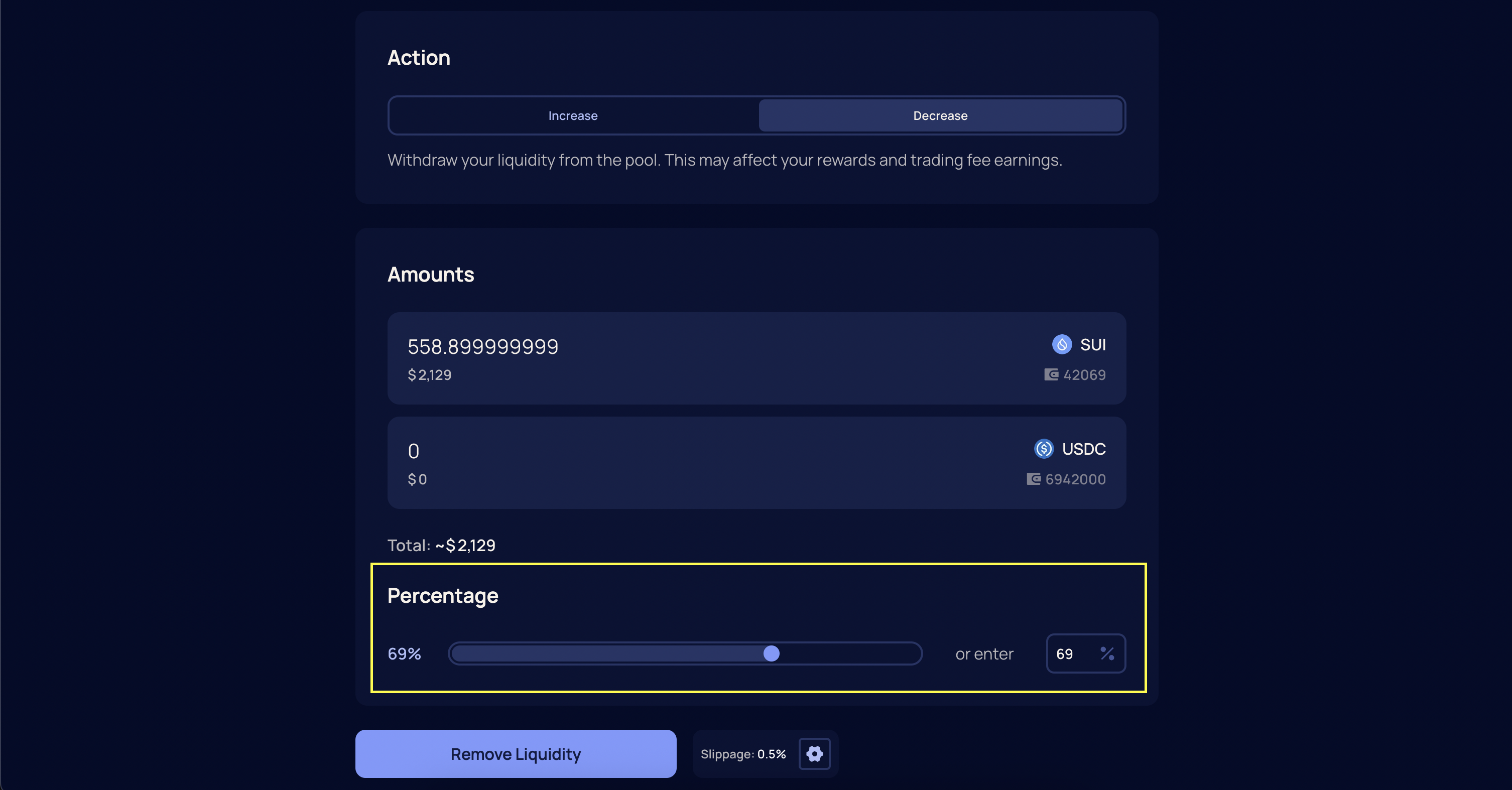
5
Confirm Transaction
Confirm the transaction in your wallet. Once confirmed and finalized, your tokens will be returned to your Sui wallet.
Note
Liquidity that is outside your active price range does not generate fees, but it can still be withdrawn. Make sure you have enough SUI in your wallet to cover transaction fees.
Liquidity that is outside your active price range does not generate fees, but it can still be withdrawn. Make sure you have enough SUI in your wallet to cover transaction fees.